

DISCOVER ALL OUR OFFERS! ⚡· ACTIVISTS AGAINST PLANNED OBSOLESCENCE ·

Which computer do I choose as a gift for Valentine’s Day?

Share on social media

Discover the best options when looking for a computer to give as a Valentine’s Day gift.

Don’t you know what to give for Valentine’s Day? We have a wide range of good, cheap laptops that are ready to leave our premises and meet their new owner. Buying laptops as a gift is always a good idea, or if you prefer, you can also give a tablet as a Valentine’s Day gift. And what better way to do that than to take care of the planet by giving a new life to a powerful, professional laptop. Plus, buying refurbished saves you money and comes with a 2 year ECOPC warranty on all computers.

Why give a refurbished laptop as a gift?

Giving laptops as a gift is a sure hit. However, choosing refurbished laptops is the right choice. By buying refurbished laptops you are doing your bit for the planet, as building a new computer is a waste of resources and a major polluter. Moreover, refurbished computers are cheaper than new computers and, as we’ve explained, they’re also kind to the planet. If you’re not looking to buy laptops as gifts and prefer a refurbished tablet, don’t worry! At ECOPC we have a wide range of refurbished tablets and convertible computers that will not leave you indifferent.

At ECOPC, we have a wide variety of laptop deals to choose from but we’ve made a selection so you can save time and buy a refurbished laptop as soon as possible, without missing the deadline! At ECOPC, we have a huge catalogue of refurbished computers, but if you don’t find what you are looking for, you can ask us!

Before you read the list of refurbished computers and refurbished tablets to give for Valentine’s Day that we’ve put together for you, there are a few things you should know.

What do I need to know before buying a refurbished computer?

Before buying a refurbished or new computer you should be clear about a few things:

  • Screen size. The standard computer screen size is currently between 13″ and 14″ inches. It is important not to choose a very large size if the computer is to be transported on a daily basis as the weight of the refurbished laptop will increase.
  • The intended use of the laptop. If you are going to use the laptop with very specific programs you should take this into account when choosing the processor, the RAM memory and the hard disk.
  • Laptop price. You must take into account the budget you have and adapt it to your needs.
  • Do you need a touch screen or is it not necessary? Nowadays there are many possibilities of refurbished laptop models with touchscreen that can be very useful in many occasions but, are they for you?
  • Consider a refurbished tablet or convertible laptop. If you feel you need a laptop that’s light enough to carry around on a daily basis but still packs a punch, we recommend taking a look at the Microsoft Surface range – they have the power of a computer with the look and feel of a tablet.

The best laptop deals for Valentine’s Day 2023

Now, here is a selection of the best Valentine’s Day 2023 offers that we have prepared especially for lovers. Also, don’t forget to apply the discount coupon LOVE23 at the end of your purchase to get a discount on the final price of the product.

HP Notebook 250 G6 / Celeron N4000 / 8 GB / 128 SSD / 15″ / DVD-RW – PINCHA AQUÍ

Among the best deals on laptops is this basic HP laptop but perfect if you are looking for a refurbished computer for internet browsing and office tasks. This refurbished laptop features a large 15″ screen – for those looking for a big screen. This HP laptop will make your Valentine’s Day gift a success.

Lenovo ThinkPad X1 Carbon G6 Táctil / Intel Core I7-8550U / 16 GB / 256 SSD / 14″ – PINCHA AQUÍ

Buying a professional laptop has never been easier with this Lenovo Thinkpad x1 from the Carbon range at your fingertips. This refurbished Lenovo Thinkpad laptop is powered by an eighth-generation i7 processor that won’t let you fall behind. In addition, both RAM and Hard Disk capacities will be adapted to your needs. On the other hand, this Lenovo Thinkpad has a large 14″ screen with Full HD resolution, perfect for watching videos or documents for long periods of time.

Pack Microsoft Surface Pro 5 + Lápiz + Puntas / Intel Core M3-7Y30 / 4 GB / 128 NVME / 12″ – PINCHA AQUÍ

On the occasion of the Valentine’s Day computer offers we have launched a special pack perfect for gift giving. This pack includes the refurbished Surface Pro 5 tablet along with the 1710 stylus and a set of stylus tips. This pack is specially created for those who want to bring out their artistic streak and make illustrations or designs on their refurbished tablet. The refurbished Microsoft Surface Pro 5 tablet is one of our best sellers and it’s selling out fast, so take advantage of the offer and don’t let it slip away!

HP EliteBook 840 G5 / Intel Core i5-8250U / 8 GB / 512 SSD / 14″ / AMD RADEON RX540 – PINCHA AQUÍ

We also have options for video game fans. This refurbished laptop is one of the computers that we recommend for our most gaming customers because thanks to its performance and its AMD Radeon RX540 graphics card, it is perfect for video game fans. This refurbished laptop is great for students who want to spend some of their leisure time playing video games. In addition, this refurbished HP Elitebook 840 G5 features a 14″ screen that is quite large but also has an HDMI port so you can also connect it to an external monitor if you want to see everything “big”.

Lenovo ThinkPad T470 / Intel Core i5-7300U / 8 GB / 256 NVME / 14″ FullHD – PINCHA AQUÍ 

If you want to give a powerful, robust and resistant refurbished laptop as a gift, this is the ideal refurbished laptop. This refurbished laptop has everything you need: power, strength and durability. This refurbished Lenovo laptop is a great choice for someone who uses the computer on a daily basis as it features a 14″ screen with a Full HD resolution. Thanks to its Intel Core i5-7300U 2.60 GHz processor, it works anywhere without missing a single task.

None of these options for refurbished laptops convince you? Don’t hesitate to ask us! Call us or send us a WhatsApp to 611615989 or if you prefer send an email to [email protected] telling us what you need.

Also, don’t forget to apply the discount coupon LOVE23 at checkout for your Valentine’s Day 2023 gift, we hope she loves it!
Latest news

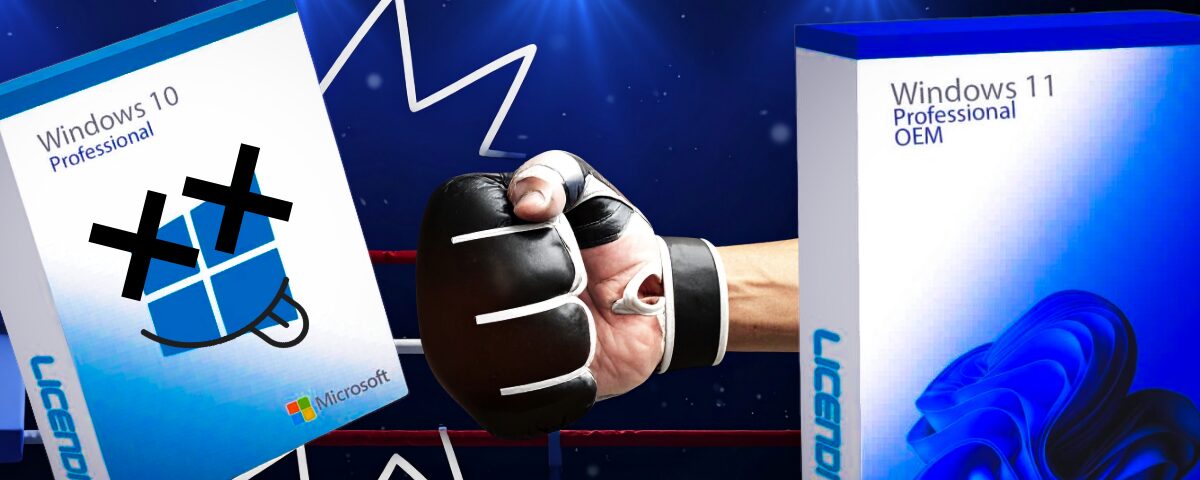
Windows 10 end of support in 2025
Curiosities technology

Windows 10 end of support in 2025: Everything you need to know🌍💻

You’ve probably heard the news by now! Official support for Windows 10 ended on October 14th. 😱 But do you really know what this means? More importantly, how does it affect you if you use your computer daily for work, study, or just binge-watching your favourite series? Don’t worry—here at ECOPC, we’ve put together a clear guide breaking down everything you need to know about the end of Windows 10 support. So you can stop stressing and handle this transition confidently, equipped with all the facts. We want you to know what’s happening, what options you have, and how to turn this into an opportunity to save money and help the planet at the same time 🌱. Why is Windows 10 saying goodbye? 👋 Windows 10 launched back in 2015 (yes, a decade ago 😅) and since then has been the go-to operating system for millions of users and businesses thanks to its simplicity and stability. But everything has its time, and Microsoft announced earlier this year that from October 2025, they will no longer provide updates or technical support for Windows 10. So, what exactly does this mean? Simply put: ➡️ Your device will no longer receive security patches or updates to protect against vulnerabilities. ➡️ Although your PC will keep running, over time it will become more vulnerable to cyber attacks. ➡️ Older devices may not be eligible to upgrade to Windows 11. This has reignited the ongoing debate: Is this a genuine technological evolution or a strategic move towards planned obsolescence? 🤔 Whatever the case, replacing millions of devices poses a serious environmental challenge ♻️. Discover the benefits of Windows 11: more than just a new look ✨ Windows 11 brings a fresh design, but the real value is beneath the surface. It offers major security improvements designed to protect against current and future threats. If you multitask, use business tools, or value security, Windows 11 will make a real difference. Some of the most notable features include: A sleek, modern, minimalist interface (touchscreen-ready). Seamless integration with Microsoft 365 and OneDrive. Enhanced virtual desktop management. Improved privacy protections. New features like Snap Layouts to keep your workspace organised. In short, it’s a more reliable, modern OS built for today’s digital world. Can my PC upgrade to Windows 11? 🤔 One of the top questions recently is: Can my device install Windows 11? The answer is a bit more complex since Windows 11 has higher system requirements including: 64-bit processor (Intel 8th Gen or AMD Ryzen 2000 series and above). At least 4GB RAM. Minimum 64GB SSD storage. TPM 2.0 chip enabled. HD display (720p or higher, over 9”). *If you want to take advantage of new AI features, you’ll likely need more RAM and storage. Unsure if your PC meets these requirements? Don’t worry—Microsoft provides a free tool🔎 that automatically checks compatibility. And if your PC doesn’t qualify, we have a much better Plan B😉. Here’s a real, eco-friendly alternative: refurbished computers ♻️ If your PC isn’t compatible or you don’t want to spend the high cost of a new one, refurbished computers are your best friend. We offer devices with Windows 11 Pro installed, covered by warranty, support, and the reliability you need. Key benefits: ✅ Extends device life before ending up in landfill. ✅ Saves you up to 70% without compromising quality. ✅ Reduces environmental impact by better managing e-waste. ✅ Tested, clean, and backed by professional warranty. Choosing refurbished is not only smart but also protects your future 🌍. Prefer to stay longer with 🌐 Windows 10? Some users prefer to stick with Windows 10 a bit longer out of convenience or habit. If you choose this, here are quick tips to do so safely: 🔒 Keep your security software up to date (antivirus, firewall, etc). ☁️ Regularly back up important documents. 🚫 Avoid installing unofficial or questionable apps. 📎 Be cautious with links and downloads. While continuing with Windows 10 post-support isn’t recommended long term, it’s a valid short-term solution giving you some extra time to plan your upgrade or get a new device. Windows 10 end of support: Mandatory or an Opportunity? The end of support for Windows 10 is a significant milestone for anyone using a PC daily — but it can also be the perfect chance to make smarter technology buying decisions. Upgrade your device, give technology a second life, and find out why a refurbished device might be just what you need. At ECOPC, we believe that refurbished devices are the ideal choice for this transition and we’re here to help make your upgrade simple, safe, and fully tailored to your real needs. We’ll help you find the perfect Windows 11 ready PC to keep you running smoothly. Explore our options—your wallet and the planet 🌍 will thank you 🍃. 👉Contact us

Read more »
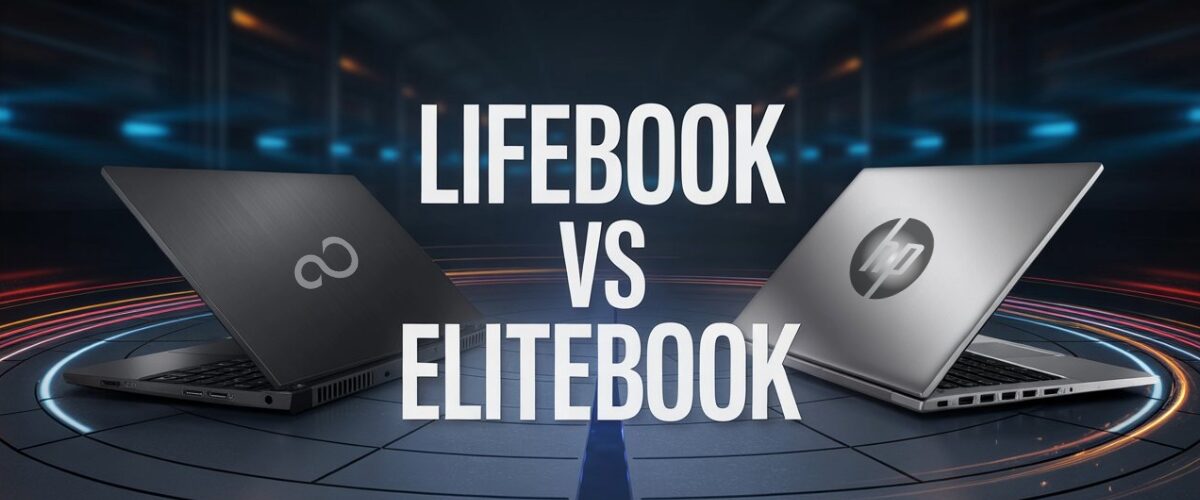
Fujitsu LifeBook VS HP EliteBook: Battle of titans 2025
Curiosities technology

Fujitsu LifeBook VS HP EliteBook: Battle of titans 2025

Fujitsu LifeBook VS HP EliteBook: When choosing a professional laptop for work, the decision usually focuses on robust models with good technical support and balanced performance. In this context, two renowned ranges and brands compete for the top spot: the Fujitsu LifeBook line and the versatile HP EliteBook. At ECOPC, experts in providing the best technology solutions, we want to help you make an informed decision. In this article, we highlight the key points for choosing between these two heavyweights in the tech sector. We will pay special attention to the Fujitsu U series and the performance offered by models such as the iconic Fujitsu LifeBook i5. Fujitsu LifeBook VS HP EliteBook: general features 🛠️ Both laptop families, Fujitsu LifeBook and HP EliteBook, are designed for the professional market. Their lines consist of robust, lightweight devices built to last and deliver solid, reliable performance. Fujitsu LifeBook The LifeBook models stand out for: 🇩🇪🇯🇵 German-Japanese manufacturing with high-quality standards, making them very reliable devices. 🔋 Featuring notable series like the U Series, with latest generation Intel Core i5 and i7 processors balancing performance and energy efficiency. 🌬️ Equipped with good cooling systems, extended battery life and comprehensive, varied connectivity (USB ports, HDMI, fingerprint reader, card reader, etc.). 🔒 High built-in security including biometric security and TPM to protect your data. Iconic models include: Fujitsu LifeBook U7410, known for its lightness and long battery life. Fujitsu LifeBook S762, a slightly more robust yet very efficient device. Additionally, if you’re interested, here’s a complete pack: Fujitsu LifeBook E736 + Subblim USB Mouse, perfect for long working sessions without limiting your productivity.   HP EliteBook On the other hand, HP’s EliteBook models are known for: 🧑‍💼 Their elegant and durable design, highly valued by the business sector. 💪 High-end Intel processors with i5 and i7 variants, enabling demanding multitasking without sacrificing performance. 🖥️ High-quality displays with excellent brightness and sharpness, ideal for users working in varied environments. 🔐 Sophisticated security systems like HP Sure Start, which also includes biometric authentication. Featured models include: HP EliteBook 840 G7, very popular for offices and remote work. HP EliteBook 850 G6, ideal for users seeking power and style. Here’s a complete pack for you: HP EliteBook X360 830 G8 + Subblim Mouse, the perfect solution for professionals.   Performance and design comparison ⚙️ Both lines offer devices with Intel Core i5 processors, but generation differences can impact the user experience. ✈️ The Fujitsu LifeBook i5 series stands out for energy efficiency, allowing long hours of unplugged work. Also, its advanced cooling system prevents overheating during long sessions, making it ideal for users on the go who need autonomy and quiet operation. ⚖️ Meanwhile, HP EliteBooks tend to rely more on raw power, making them especially suitable for tasks demanding heavy resources, like multimedia editing or professional software work. In design terms, Fujitsu models are often more compact and lightweight, making them easy to carry anywhere. HP models focus strongly on a professional look and premium design with refined finishes, although slightly heavier. Both models offer extensive connectivity options to adapt to hybrid or office work environments. 🤝 Security and support🔒 Choosing between Fujitsu LifeBook and HP EliteBook also means evaluating security and technical support levels. The Fujitsu LifeBook line stands out for integrating advanced hardware and software security systems, facilitating protection and management of corporate data. Additionally, the Fujitsu support service is very focused on the European client, with local assistance and fast response times to ensure smooth workflow. Meanwhile, HP EliteBook features specific technologies like HP Sure Start, very effective against cyberattacks, and offers extensive global technical support, with various warranty and maintenance plans tailored to user needs. In both cases, having solid professional support is key to minimising risks of unexpected disruptions in daily work. Unique advantages of the Fujitsu LifeBook range ✨ 🛡️ Durability, supported by manufacturing standards from Germany and Japan. 🔋 Sufficient battery life for professionals to work long hours without losing connectivity. 🌐 Easy adaptability and integration within complex corporate environments. 💸 Models like the Fujitsu LifeBook i5 offer an optimal balance between competitive price and powerful features. 🤝 Local support options that can be the deciding factor for many businesses and organisations. So: Fujitsu LifeBook or HP EliteBook? 🤔 The decision is yours. Ultimately, the choice depends on your priorities and needs: mobility, battery life, reliability, global support availability… If you want professional refurbished laptops with a warranty, optimised for daily work, the Fujitsu LifeBook range definitely deserves a chance. Within that range, the Fujitsu LifeBook i5 laptops offer a great balance of price and performance. If maximum power, premium design, and guaranteed global support are your priorities, then the HP EliteBook line will be your best option. At ECOPC, we are at your disposal to advise and help you choose the perfect refurbished Fujitsu LifeBook or HP EliteBook to boost your daily productivity. Contact us: 🌐 ecopc.com/en/

Read more »
Technology solution for educational centres
News

Technology solution for educational centres: Back to School 2025

Back to school always marks a time of renewal and new expectations, and it’s vital that schools have an effective, sustainable, and affordable technology solution for educational centres. It’s not enough just to prepare books and materials; every centre must be equipped with the right digital tools to support learning, collaboration, and communication. Digitalisation in classrooms is advancing rapidly, and having reliable, up-to-date equipment is essential to guarantee educational quality. In this context, refurbished laptops with warranty have established themselves as the ideal alternative for smart and responsible upgrading or expansion of technological infrastructure. At ECOPC, we strive to understand the real needs of each educational cycle, which is why we show you why this option is highly valued today, also highlighting a selection of models that can help you get the most out of your investment. Why Choose Refurbished Computers as a Technology Solution for Your Educational Centre? Professional quality guaranteed to ensure optimal performance One of the main concerns when considering buying refurbished computers with warranty is whether they can perform at the level required by classrooms. That’s why at ECOPC we offer only refurbished laptops with warranty, selected and restored by professionals to ensure optimal operation, comparable even to new devices. Each refurbished device undergoes inspections, testing and software updates (Noe, all our refurbished laptops come with Windows 11) before being shipped to you. This way, you can equip your classrooms and laboratories with technology capable of withstanding intense daily use, ensuring back to school goes smoothly. Real savings to drive investment and maximise educational impact Budgets at educational centres are always a challenge to manage. Opting for a solution based on affordable refurbished laptops offers significant savings compared to purchasing new technology equipment, as the advantage of refurbished computers is their excellent quality-price ratio, allowing centres to access advanced technology at a much lower cost than the newest equipment on the market. This enables more resources to be allocated to other key areas such as teacher training, acquiring educational resources, or infrastructure improvements. At ECOPC we offer flexible financing and equipment packs to make technological renewal as affordable as possible. Commitment to sustainability that educates and protects Beyond savings and quality, the technology solution for educational centres stands out for its sustainable approach. Reusing equipment helps reduce electronic waste, one of the most urgent environmental problems today. By choosing refurbished computers, the educational centre promotes environmental responsibility, teaching respect for the environment and the circular economy. This commitment fosters active ecological awareness in students, reinforcing the message that small decisions can make a big difference to the future of the planet. Specialised technical service and warranties tailored to your centre Reliable technology functioning in classrooms is key to avoiding disruption to the learning process. At ECOPC, all our refurbished laptops come with up to 3 years warranty, alongside specialised technical and after-sales support. If something goes wrong, we will resolve it as quickly as possible to keep education running smoothly.   Recommended devices for each educational level. Each educational cycle has its own needs, which is why we have selected models and brands known for their versatility, durability, and ease of use: For Primary School Students 🎒✏️ Young learners need devices that are intuitive, sturdy, yet lightweight at the same time. Refurbished options for primary education usually have basic features yet are powerful enough to smoothly run educational platforms. Durability and portability are crucial at this stage. Our recommendation: Dell ChromeBook 3110 a compact and sturdy device specially designed for these early stages of education. NEC MultiSync EA234WMi 23″ with a Full HD screen, adjustable stand, built for daily use in classrooms with children. For Secondary and High School Students 🎓📖 As students progress in their education, technical requirements increase. At these advanced stages, it is common for students to undertake research projects, work collaboratively, and begin using specialist software. Our solution for this stage involves computers with powerful processors, sufficient RAM, and ample storage space, allowing students to multitask smoothly and without interruption. HP EliteBook 840 G7 a powerful, secure, and robust device that supports multitasking and advanced applications. Acer B246HYL 24″ LED IPS FHD with a Full HD screen, ergonomic design, and multiple connectivity options to suit various laptops and tasks. For Advanced and Technical Training 🔬💻 Students in vocational, advanced, or technical training need devices capable of running demanding applications, from CAD design to programming and even advanced multimedia editing. Refurbished workstations provide the essential level of performance to ensure work pace is never interrupted. Lenovo ThinkPad X1 Carbon G9 with an 11th generation i5 processor and expandable RAM, perfect for demanding tasks. Dell P2418HZ LED Monitor with excellent image quality, adjustable tilt, ideal for long working hours, editing, and advanced design tasks. Successfully implement a technology solution for educational centres this Back to School 2025. Back to School 2025 is the ideal moment to choose a technology solution combining quality, sustainability, and savings. At ECOPC, we support your centre throughout the entire process to ensure your investment is as effective as possible: ✅ Prior assessment and customised planning Our team of experts carries out a detailed analysis of the specific needs of each centre, identifying which areas require higher-performance equipment and individually selecting the most suitable devices for each educational stage. This guarantees an efficient and fully tailored technological solution aligned with the teaching goals of each centre. ✅ Flexible purchase and financing options We offer flexible options tailored to your institution to help you acquire the best refurbished technology without compromising resources intended for other areas. Our priority is to provide quality technology in a simple and affordable way. ✅ Efficient logistics and delivery We handle the entire logistics process to ensure fast and efficient delivery, aligned with key back to school dates. Thanks to our experience, we guarantee that devices arrive prepared and ready for use, avoiding any setbacks that could delay the start of term. ✅ Dedicated after-sales service This new academic year, choose technology that offers performance,…

Read more »