

Are you looking for refurbished laptops for students? Starting university with the right laptop makes all the difference. But paying €700, €800 or €1,000 for a brand-new laptop when you already have tuition, books, rent and transport to pay for is hard to justify — especially if you are going to need another one in 4 years.
We know that choosing a laptop for university is hard work. That is why we bring you the smart alternative: a refurbished business-class laptop. For €200-350, you can have a machine that cost over €900 when new, featuring an i5 processor, SSD, Full HD screen, Windows 11 and up to 3 years’ warranty. Much more powerful than any new laptop in that price range.
In this guide, we show you the best refurbished laptops for students, depending on your course, your way of working and your budget.
If you’d like to take a look at our offers, click here to see the best laptops for students.
The Minimum Specifications a Refurbished Laptop Should Have for University
Before we look at specific models, here are the minimum specifications we recommend for a laptop for university students. Anything below these isn’t worth it:
| Component | Recommended minimum | Why |
|---|---|---|
| Processor | 8th gen Intel Core i5 or AMD Ryzen 3 4300U | Smooth for multitasking, streaming and video conferencing. |
| RAM | 8 GB | Sufficient for Office, a browser with 10+ tabs and Teams/Zoom. |
| Storage | 256 GB SSD | Fast boot-up — with an HDD, the laptop will be desperately slow. |
| Screen | Full HD (1920×1080) minimum | Comfortable resolution for reading PDFs and working on documents. |
| Battery | 4+ real hours | To last through classes without searching for sockets. |
| Operating system | Activated Windows 11 | Compatible with software for most courses. |
⚠️ Avoid these: laptops with a Celeron or Pentium processor, 4 GB of RAM or a mechanical hard drive (HDD). They’re slow from day one and will be unusable within two years. It’s better to spend an extra €50 and get an i5 with an SSD.
The Best Refurbished Laptops for Students — 2026 Selection
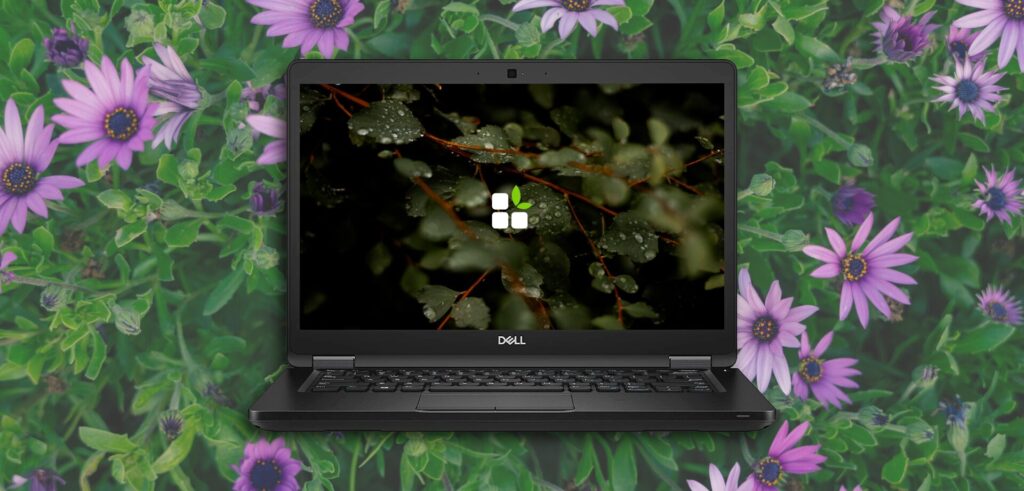
 Dell Latitude 7290 — The Best Laptop for University Students for €250
Price: from €255 | Warranty: up to 3 years | View on EcoPC →
The Dell Latitude 7290 is EcoPC’s most frequent recommendation for students on a tight budget. For €255 you get a Dell business-class laptop with everything you need for four years of university: an i7-8650U processor, 256 GB SSD, 12″ Full HD screen and activated Windows 11 Pro.
Specifications:
- Processor: Intel Core i7-8650U (4 cores, 8 threads)
- RAM: 8 GB DDR4
- Storage: 256 GB SSD
- Screen: 12″ Full HD IPS
- Weight: 1.6 kg
- Activated Windows 11 Pro
Why it is perfect for students:
- 14″ is the ideal size: easy to handle on the bus, in the library and on the desk
- The SSD makes it boot up in under 15 seconds — no waiting around before class
- It handles everything: Office, Teams, Google Classroom, Moodle, streaming
- Built for business, not to be thrown away in 2 years: durable chassis, quality components
- 3-year warranty — covers your entire degree
Courses for which it is ideal: Business Administration, Law, Education, Psychology, Journalism, Tourism, Humanities, any course with basic Office use and web browsing.
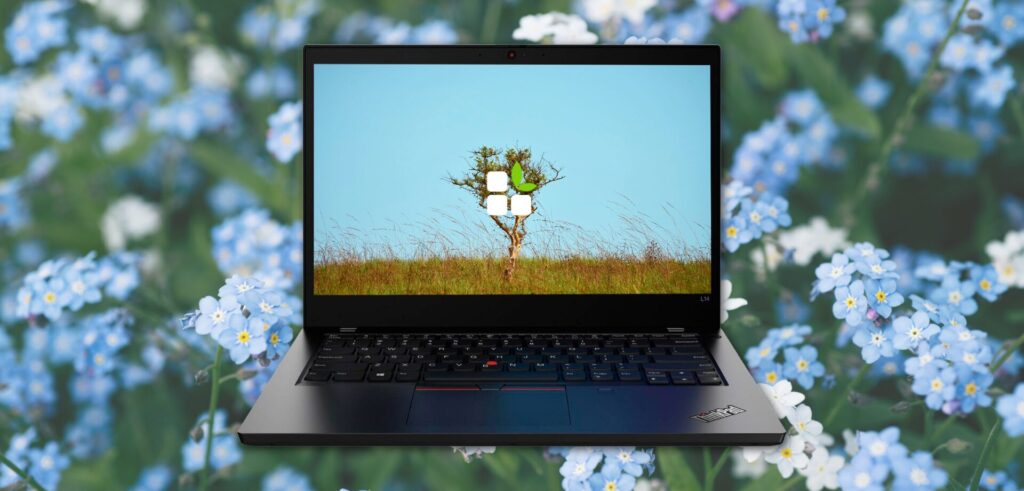
 Lenovo ThinkPad T480S — The Best Keyboard for Heavy Typing
Price: from €260 | Warranty: up to 3 years | View on EcoPC →
If your course involves a lot of writing — taking quick notes by hand, drafting long essays, writing summaries — the ThinkPad T480S keyboard is the best in this ranking. The key travel and tactile response are unrivalled at this price. This Lenovo features an 8th generation i5-8250U processor.
Specifications:
- Processor: Intel Core i5-8250U (10th generation, 4 cores)
- RAM: 8 GB DDR4
- Storage: 256 GB SSD
- Screen: 14″ Full HD IPS
- Integrated RJ45 Ethernet port — useful for connecting in halls of residence or the library
- Weight: 1.7 kg
Why it is perfect for students:
- The best keyboard in the ranking for taking notes quickly and writing without fatigue
- 10th generation processor: more modern than the 8th gen, better for multitasking
- Ethernet port: in halls of residence and libraries, Wi-Fi is often congested — a cable is more reliable
- TrackPoint included: cursor control without moving your hands from the keyboard
Courses for which it is ideal: Journalism, Philology, History, any course with a heavy load of notes and written assignments, Law, Sociology.
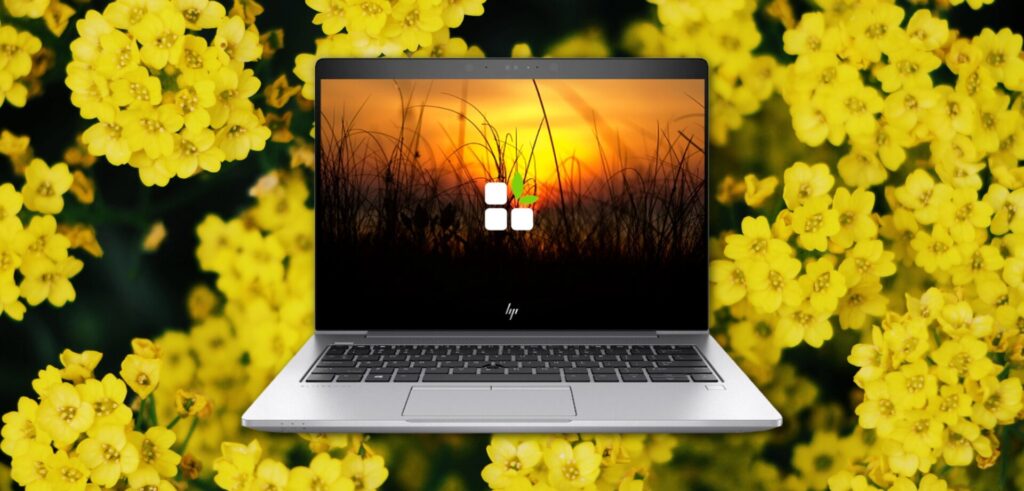
 HP EliteBook 830 G5 — The Lightest Laptop for Students on the Move
Price: from €235 | Warranty: up to 3 years | View on EcoPC →
If you go to university on public transport, if you have a large campus or if you travel frequently, the weight of the laptop matters much more than it seems. The HP EliteBook 830 G5 weighs 1.28 kg — the lightest in this selection. Its 13.3″ screen also makes it more compact than average.
Specifications:
- Processor: Intel Core i5-8250U
- RAM: 8 GB DDR4
- Storage: 256 GB SSD
- Screen: 13.3″ Full HD IPS anti-glare
- Weight: 1.28 kg — the lightest in the ranking
- Extras: backlit keyboard, fingerprint reader, camera privacy shutter
Why it is perfect for students:
- Over 300 grams lighter than average — in a backpack with books, you notice that every day
- Camera with physical privacy shutter — for online classes
- Backlit keyboard — studying at night in your room without disturbing your flatmate
- Fingerprint reader: instant login without typing a password
Courses for which it is ideal: Any course where you move around a lot between departments, students with a spread-out campus, Erasmus exchanges, those who travel frequently.
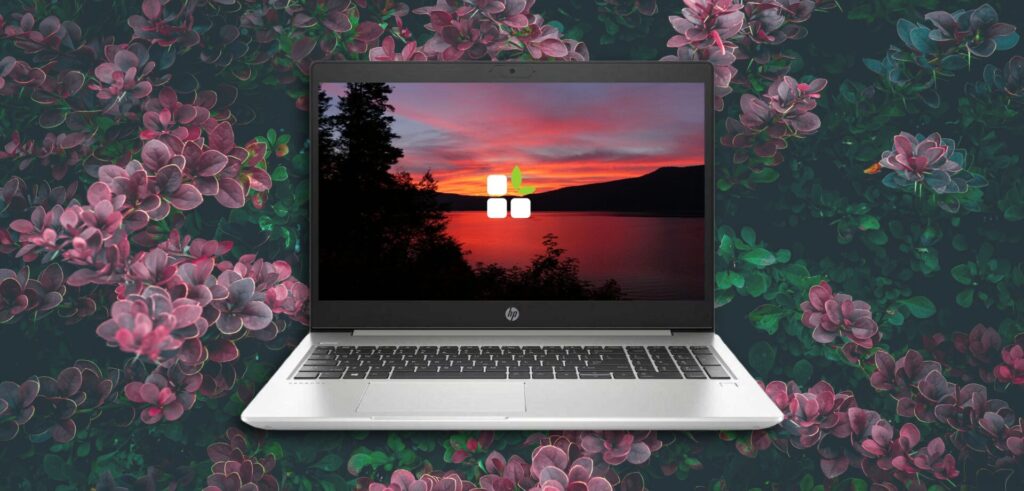
4. HP ProBook 455 G7 with AMD Ryzen — Large Screen for Comfortable Studying
Price: from €292 | Warranty: up to 3 years | View on EcoPC →
If you study mainly from home or in halls of residence — with your laptop on the desk — and you prefer a large screen over portability, the HP ProBook 455 G7 is your candidate. With a 15.6″ Full HD screen and an AMD Ryzen 3 4300U processor, it offers more workspace and a more modern processor than equivalent-generation Intel models.
Specifications:
- Processor: AMD Ryzen 3 4300U (Zen 2 architecture, 4 cores)
- RAM: 8 GB DDR4
- Storage: 256 GB SSD
- Screen: 15.6″ Full HD IPS
- Numeric keypad included
- Weight: 1.9 kg
Why it is perfect for students:
- Large screen: more comfortable for reading long articles, watching streaming classes, working with Excel
- Numeric keypad: essential for degrees in Economics, Accounting, Mathematics or Engineering
- Ryzen 3 4300U: modern architecture, good multitasking performance
- The largest screen size in this selection — if you do not move around much, it compensates for the extra weight
Courses for which it is ideal: Economics, Business Administration, Accounting, Mathematics, Statistics, Engineering (basic use), Sciences.
5. Fujitsu Lifebook U7411 — For Demanding Technical Degrees
Price: from €255 | Warranty: up to 3 years | View on EcoPC →
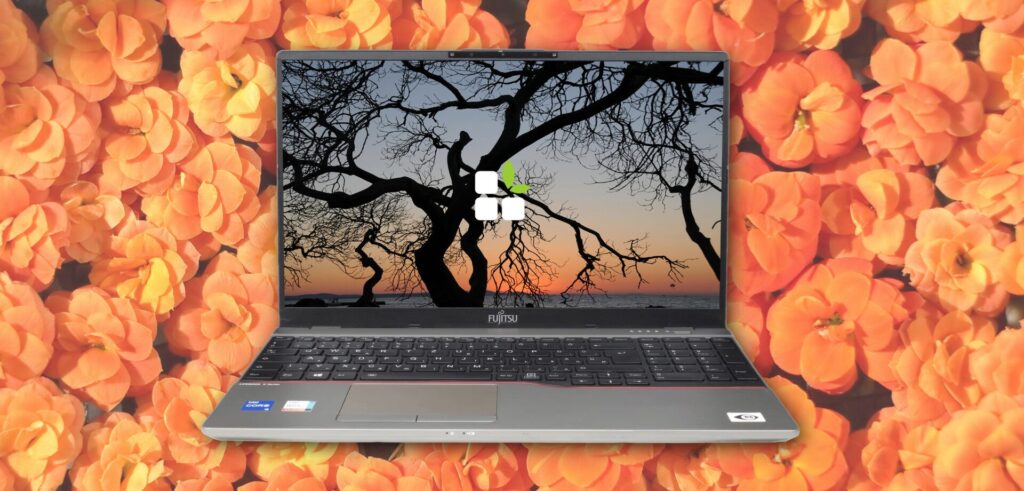
If you are looking for a perfect balance between power and mobility to carry with you daily to university, the Fujitsu LifeBook U7411 is an excellent choice. With a 14″ Full HD screen and a powerful Intel Core i5-1135G7 processor, it offers smooth multitasking performance in a lightweight and robust chassis, ideal for working anywhere.
Specifications:
- Processor: Intel Core i5-1135G7 (4 cores, up to 4.20 GHz, Iris Xe graphics)
- RAM: 8 GB or 16 GB DDR4 (depending on configuration)
- Storage: 256 GB / 512 GB SSD
- Screen: 14″ Full HD IPS anti-glare
- Professional connectivity and advanced security
- Weight: approx. 1.2 kg
Why it is perfect for students:
- Ultraportable and lightweight: weighing barely 1.2 kg, it is incredibly comfortable to carry in your backpack all day without feeling weighed down.
- 11th generation i5 processor: offers great speed for opening heavy applications, browsing with dozens of tabs and working in virtual environments.
- Intel Iris Xe graphics: superior graphics performance for basic photo editing, smooth presentations and multimedia consumption.
- 14″ Full HD screen: the optimal size combining a clear workspace with maximum transport convenience.
Courses for which it is ideal: Law, Journalism, Psychology, Medicine, Business Administration, Education, Marketing, Web Programming and Health Sciences.
Guide by Degree Programme: Which Laptop Is Right for You?
| Course | Recommended laptop | Budget |
|---|---|---|
| Business Administration, Economics, Law | Dell Latitude 7290 | €255 |
| Journalism, Philology, History | ThinkPad T480S(best keyboard) | €260 |
| Education, Psychology, Tourism | Dell Latitude 7290 or HP EliteBook 830 | €209-229 |
| Erasmus / large campus / mobility | HP EliteBook 830 G5 (lightest) | €229 |
| Mathematics, Statistics, Accounting | HP ProBook 455 G7 (numeric keypad) | €292 |
| Graphic design / multimedia | ThinkPad T580 with NVIDIA MX150 | €329 |
| Computer Science, Engineering, Data | LifeBook U7411(16 GB RAM, 11th gen i5) | €255 |
Refurbished or new laptops for university?
Let’s be honest about the numbers:
New laptop for €350-400:
- Entry-level processor (Celeron, basic i3)
- 4-8 GB of soldered RAM (cannot be upgraded)
- Slow mechanical hard drive or eMMC (no SSD)
- Basic plastic chassis
- Will slow down in 2-3 years
- Warranty: 2-year manufacturer’s warranty
Refurbished laptop for €210-280:
- 8th-10th generation i5/i7 processor (much more powerful)
- 8 GB of upgradable RAM
- Fast SSD (boots up in 10 seconds)
- Business-class aluminium chassis
- Lasts 4-5 years without any issues
- Warranty: up to 3 years with EcoPC
The conclusion is clear: for the same money or less, a refurbished business-class laptop is a better machine.
Tips for Looking After Your University Laptop
To get the most out of it throughout your entire course:
- Use a case or sleeve — knocks inside your backpack are a laptop’s greatest enemy
- Enable battery saver when unplugged — this extends the battery’s lifespan
- Do not keep it charged at 100% constantly — keeping the battery between 20% and 80% is ideal
- Do a weekly backup — a 1 TB external hard drive costs less than €50
- Clean the fan once a year — accumulated dust causes the processor’s performance to drop
Everything Included with Your Refurbished Laptop from EcoPC
- ✅ Complete technical inspection (processor, RAM, SSD, battery, screen, ports, Wi-Fi)
- ✅ Windows 11 Pro in English, activated with an official licence
- ✅ Verified battery
- ✅ Warranty of up to 3 years — covers your entire degree
- ✅ Free delivery in 24/48 hours
- ✅ 30-day free returns — if you are not convinced, return it at no cost
- ✅ Technical support in English — if anything goes wrong, we will help you
Frequently Asked Questions
Will a refurbished laptop last for four years of university?
Yes, particularly the business models we sell at EcoPC. The Dell Latitude, HP EliteBook and Lenovo ThinkPad are built to withstand intensive use for 5–7 years. If you buy one that’s already 2–3 years old and has paid for itself, you can easily expect another 4–5 years of trouble-free use — especially if it has an SSD rather than a mechanical hard drive.
Do I need to install antivirus software on a refurbished laptop?
Windows 11 includes Windows Defender, which is sufficient for normal university use. You don’t need to pay for additional antivirus software. The most important thing is to keep Windows up to date and not to download software from unknown sources.
Can I use Microsoft Office on a refurbished laptop?
Yes. All EcoPC laptops come with Windows 11 pre-installed. For Office, you have three options: use Office Online (free, in your browser), subscribe to Microsoft 365 (which many universities offer free of charge to their students with their university email address), or buy an Office licence. Ask your university if they offer a student licence — many do.
Are refurbished laptops compatible with the software I use for my degree course?
Generally speaking, yes, provided the programme is compatible with Windows 11. Software commonly used in universities, such as Microsoft Office, AutoCAD LT, MATLAB, SPSS, R, Python, Visual Studio Code, Adobe Reader, Moodle and Google Classroom, works perfectly on any refurbished laptop with an i5 processor and 8 GB of RAM. For resource-intensive graphic design software (Adobe Premiere, After Effects, Photoshop on large projects) or advanced engineering simulation, we recommend the ThinkPad T14s with 16 GB of RAM.
Do I need a laptop with a dedicated graphics card for university?
Only if your degree course specifically requires it: 3D design (Blender, 3ds Max), engineering involving graphics-intensive simulations, or professional video editing. For all other degree courses — including Computer Science and most engineering programmes — the integrated Intel UHD or AMD Radeon graphics are more than adequate.