
DISCOVER ALL OUR OFFERS! ⚡· ACTIVISTS AGAINST PLANNED OBSOLESCENCE ·

The ultimate guide: What to know before buying a refurbished monitor

The ultimate guide: What to know before buying a refurbished monitor
Share on social media

Buying a refurbished monitor can be an absolute gem of a decision – if you know what you’re doing. At ECOPC, we’ve spent years surrounded by screens, cables and refurbished devices, so we know exactly what to look out for before jumping on that bargain that’s calling your name.

Want to upgrade your setup without selling a kidney? Looking to improve your home office without blowing your budget? Here’s everything you need to check before you buy, so you can make a smart, confident purchase.


1. What exactly is a refurbished monitor?

A refurbished screen is a monitor that’s had a previous life – in an office, on display or as a customer return. But it’s not just a second-hand product: it’s been through a full technical check, cleaned thoroughly, tested and quality approved. At ECOPC, we make sure every refurbished monitor is in perfect working condition and ready for a second chance. Plus, all our products come with a 2-year warranty – something you won’t often get with second-hand gear.
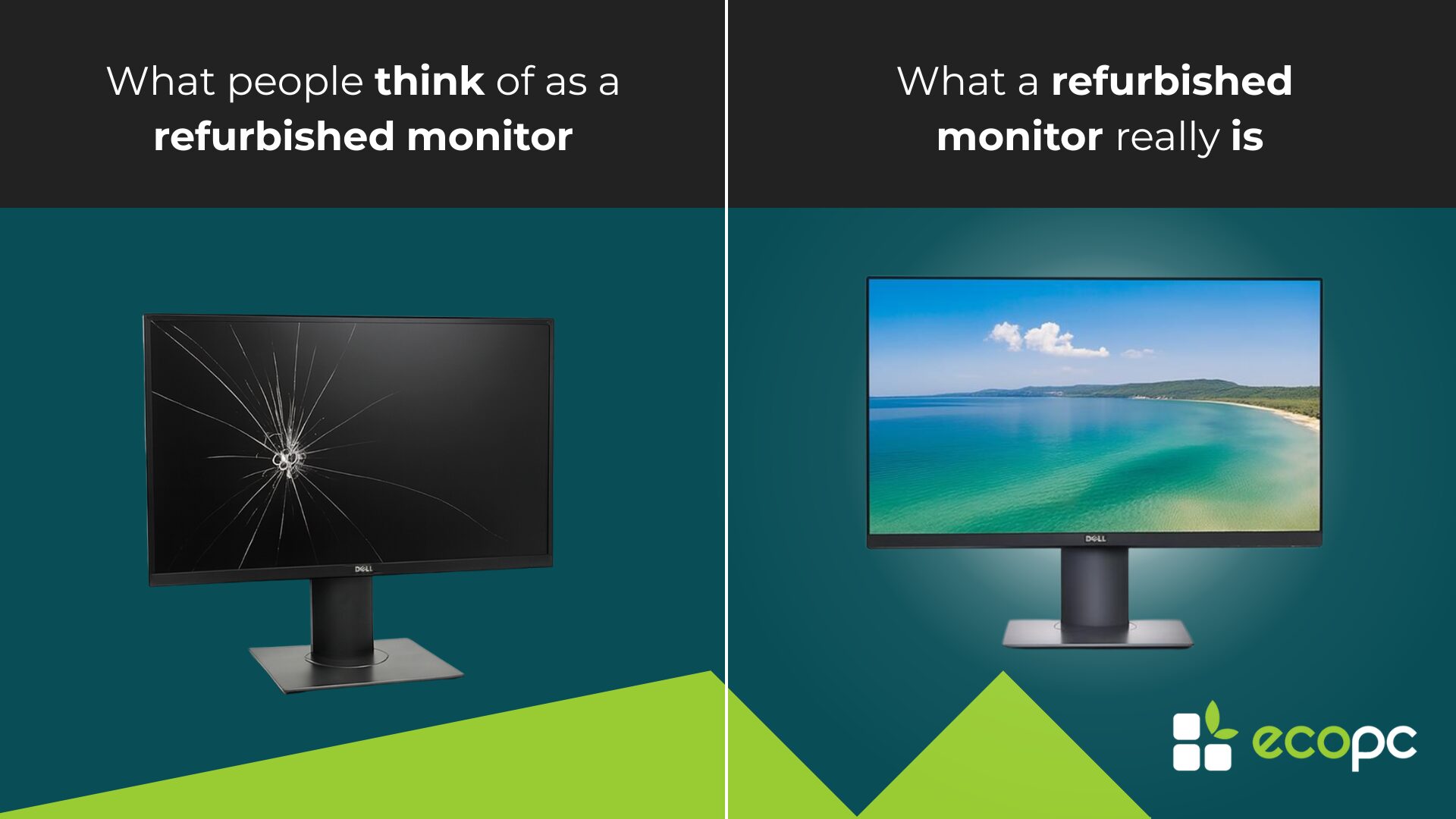
Refurbished monitor: what people think vs what a refurbished monitor really is

2. How do we classify refurbished monitors at ECOPC?

Instead of confusing aesthetic grading systems like A+, A or B, at ECOPC we go for total transparency. Our refurbished monitors are divided into two simple categories:

  • General range: monitors in excellent cosmetic and functional condition.
  • Outlet section: monitors with minor visual defects (a scratch or small dent), but with fully functional performance.

In both cases, the performance is spot on. Our website shows generic model images, but if you’d like to see real photos, just ask us – we’ll happily send them to give you peace of mind.

3. Outlet: Scratched outside, perfect inside

As mentioned above, if a tiny mark or cosmetic flaw doesn’t bother you in exchange for a better price… You’ll love our outlet section. 😉 You’ll find absolute steals – fully working refurbished monitors with a little visual “character”. And here’s the best part (it’s an open secret): They come with the same 2-year warranty as our general section models. Real gems at a bargain price.

4. Real savings and sustainability

One of the biggest advantages of refurbished tech is the price. You can get high-end models for much less than buying new. And you’re making a more sustainable choice too. Reusing devices helps cut down on electronic waste and extends the life of quality products. It’s smart tech in every sense: good for the planet and good for your wallet. 🤓

5. Connectivity

Before buying, make sure the monitor has the ports you need. Check what your device supports: HDMI, DisplayPort, USB-C or even VGA are still common in many setups. Not sure which cable you need? Drop us a message – we’ll be happy to help (yes, even with cables 😂). Planning to mount the monitor on a wall or arm? Make sure it’s VESA compatible – we list this on all our product pages.

6. Resolution and size

This depends on what you’ll use it for:

  • For office work, browsing or studying, Full HD (1920×1080) is more than enough.
  • If you’re a graphic designer, video editor or gamer, Full HD might do, but we’d recommend stepping it up: QHD or 4K screens make a noticeable difference.

We stock a wide range of sizes too – 22″, 24″, 27″ and beyond, for every profile.

7. Warranty and returns policy

Buying refurbished doesn’t mean sacrificing peace of mind. Absolutely not!
At ECO PC, all our refurbished monitors come with a 2-year warranty, and you get 30 days to return the product if it’s not what you expected. Try it out at home and make sure it’s the right fit for you – risk free.

8. Customer support that sticks around

Once you’ve made your purchase, we don’t disappear. Our support team is available by phone, email or WhatsApp to answer any questions or help with any issues. No bots. No endless forms. Just real people, experienced and ready to help. 🫸

9. One-off opportunities

🎁 Pro tip! 🎁 In the refurbished world, many items are unique. So if a model catches your eye, don’t wait too long – it might be gone tomorrow. This is especially true in our outlet section, where the best deals fly off the shelves. Got a question? Message us before it’s snapped up.

10. Take advantage of our summer sales

Right now, with our summer sales, it’s the perfect time to grab a refurbished monitor at a fantastic price. Here are three standouts:


Dell P2418HZ 24″ Full HD LED

Perfect for video calls with a built-in camera— and yes, it’s also available in our Outlet!
NEC MultiSync PA272W 27″ LCD

Stunning image quality for design professionals.
 

Lenovo ThinkVision T24m-10 24″ LED FHD

Crystal-clear display with USB-C, ideal for tidy, efficient setups.
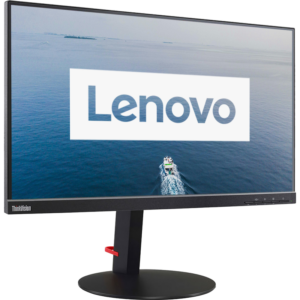
All available in limited stock, so if one catches your eye – don’t miss out!

Want to see more options?

🌏Browse our full range of refurbished monitors with full warranty and find your perfect match💚:
👉 https://www.ecopc.com/en/refurbished-monitors

Latest news

refurbished laptop
News

Refurbished Laptop: Find your perfect machine [2026]

Refurbished Laptop: Find your perfect machine (Without wasting your money) Choosing a refurbished laptop without a clear idea of what you will use it for is the fast track to making two opposite mistakes: you either overpay for power you will never squeeze out, or you buy a underpowered system that will end up dragging after six months. The IT market is full of fireworks, shiny stickers, and speed ratings that ultimately mean nothing if the computer’s architecture does not fit your daily routine. In our León workshop, we test components daily and don’t get carried away by trends. You don’t need the latest €1,500 model to draft documents, nor should you settle for a weak processor if you work with massive spreadsheets. We are going to break down what hardware you should demand based on your actual usage profile. It is worth noting that our computers come with Windows 11 and a keyboard (without stickers) in your language! Why Choose a Refurbished Laptop Based on Your Profile and Not on the Deal of the Month? The most common mistake is impulse buying when seeing a low price. A business-grade refurbished laptop offers hardware configurations originally designed for very specific corporate needs: from ultra-durable workstations to lightweight machines for mobile executives. Looking solely at gigabytes of memory without understanding the synergy between processor, storage, and cooling is a direct path to frustration. Tailoring your purchase to your actual needs allows you to: Optimize your budget: Spend only on components that impact your work (e.g., prioritize RAM over the graphics card if you only multitask). Ensure longevity: Choose chassis and thermal designs built to handle the workload you will demand over the next 4 or 5 years. Ensure proper ergonomics: Select the ideal screen size and keyboard type if you spend hours typing or need to carry your laptop daily. The 4 Basic Usage Profiles: Find Your Ideal Refurbished Laptop To simplify your decision, we have broken down computer needs into four clear brackets so you can easily choose the refurbished laptop you need. Furthermore, we have added a recommendation for each profile, with the last one being the best option if you want a refurbished laptop capable of doing anything. Regardless of our store’s changing stock, these are the minimum technical requirements you should look for in each category. estos son los requisitos técnicos mínimos que debes buscar en cada categoría. Profile 1: Students, Schoolwork, and Home Web Browsing If your daily routine consists of drafting Word documents, researching with multiple browser tabs open, joining video calls, and watching streaming content, your priority is operating system fluidity and core reliability. Recommended Processor: Intel Core i5 (8th to 10th generation) or equivalent AMD Ryzen 5. Minimum RAM: 8 GB DDR4 (sufficient for a student’s everyday multitasking). Storage: 256 GB SSD (NVMe protocol so Windows loads in seconds). Display: 14-inch Full HD with an anti-glare finish to reduce eye strain. Lenovo ThinkPad X13 G1 / Intel Core i5-10210U / 13″ FHD / 8 GB / 256 GB SSD Price: from €249.98 | Warranty: up to 3 years | View on EcoPC → If you need an ultra-lightweight laptop to carry in your backpack every day without dragging down extra weight, the ThinkPad X13 G1 is one of the best options on the market under €250. It combines Lenovo’s legendary durability and keyboard with a compact 13-inch form factor and a 10th Gen i5 processor ready to handle intense work or study sessions. Specifications: Processor: Intel Core i5-10210U (10th Gen, 4 cores up to 4.20 GHz) RAM: 8 GB DDR4 Storage: 256 GB High-Speed NVMe SSD Display: 13.3″ Full HD IPS Anti-Glare Build: Compact chassis reinforced with magnesium alloy Weight: 1.2 kg Why it is perfect for students and mobility: Featherweight (1.2 kg): Takes up minimal space and adds virtually no weight to your backpack, ideal for moving between classrooms, the library, or coffee shops. 10th Gen i5 Processor: Excellent thermal management and plenty of power for heavy multitasking, browser windows with dozens of tabs, and office suites. Benchmark ThinkPad Keyboard: Perfect key travel and ergonomic feel to type long assignments or lecture notes at top speed without wrist fatigue. Compact Full HD IPS Display: Great sharpness and excellent viewing angles for comfortable hours of work in tight spaces. Profile 2: Office Work, Remote Work, and Heavy Multitasking If you work full-time on your computer managing databases, management software (ERP/CRM), heavy Excel spreadsheets, multiple external monitors, and continuous communication tools, you need technical stability without performance drops. Recommended Processor: Intel Core i5 or i7 (10th or 11th generation) with 4 to 8 cores. Minimum RAM Memory: 16 GB DDR4 or DDR5 (essential to avoid lag when switching between applications). Storage: High-speed read/write 512 GB or 1 TB NVMe M.2 SSD. Build Quality: Magnesium or aluminum chassis (such as those in the ThinkPad or Latitude lines) with excellent keyboard ergonomics and versatile connectivity (HDMI, USB-C/Thunderbolt). HP ProBook 640 G8 / Intel Core i5-1135G7 / 14″ FHD / 16GB / 512 GB SSD Price: from €388 | Warranty: up to 3 years | View on EcoPC → If you are looking to step up to a modern generation with plenty of power to forget about slowdowns for years, the HP ProBook 640 G8 is one of the best value-for-performance bargains available. It features 16 GB of RAM and a massive 512 GB SSD as standard, eliminating any bottleneck for those working with heavy multitasking or demanding applications without even reaching €390. Specifications: Processor: Intel Core i5-1135G7 (11th Gen, 4 cores up to 4.20 GHz, Intel Iris Xe graphics) RAM: 16 GB DDR4 (smooth performance with no application limits) Storage: 512 GB High-Speed NVMe SSD Display: 14″ Full HD IPS Anti-Glare Build: Professional reinforced aluminum chassis Weight: 1.38 kg Why it is perfect for work and advanced studies: 16 GB RAM and 512 GB SSD: Ample storage for heavy projects and sheer speed to run dozens of tabs, virtual machines, or databases without breaking a…

Read more »
refurbished iPhone
Buying Guides

Refurbished iPhone Grades: What ‘Premium’, ‘A+’, ‘A’ and ‘Outlet’ Mean (and Which One to Choose)

If you’re looking for a refurbished iPhone and aren’t sure what ‘Premium’, ‘A+’, ‘A’ or ‘Outlet’ mean, you’ve come to the right place. At EcoPC, we use our own grading system that honestly describes the cosmetic condition of each phone. In this article, we explain exactly what you get with each grade — no small print. What is the grade of a refurbished iPhone? The grade describes solely the aesthetic condition of the refurbished iPhone — in other words, how it looks on the outside. It has no bearing whatsoever on its technical performance. A Grade A iPhone works exactly the same as a Premium one. The only difference lies in the visible marks on the casing or screen. Golden rule: the grade indicates what you see, not how it functions. All grades undergo the exact same comprehensive technical inspection process and all are dispatched with a verified battery capacity of 85% or higher. The 4 Grades of Refurbished iPhones at EcoPC Premium Grade / iPhone Like New — As Good as New The Premium Grade iPhone (also referred to as Like New) is the highest cosmetic condition we offer. An iPhone in this grade has been so well cared for by its previous owner that, to the naked eye, it is virtually indistinguishable from a brand-new device out of the box. The screen has no scratches noticeable to the naked eye and the casing is immaculate. What it includes: Screen with no scratches visible to the naked eye Casing free from marks, scuffs or dents Buttons and ports in excellent condition Battery verified at 85% capacity or higher Full technical inspection Who it is for: For anyone who wants an iPhone that looks brand new and doesn’t mind paying a little extra for perfect cosmetic condition. It is also the ideal choice for a gift — the presentation is flawless. 🥈 Grade A+ — Very Good An A+ Grade iPhone is in very good cosmetic condition: it may feature very slight micro-scratches visible only under direct, harsh light, or minimal marks on the edges, but in everyday use and to the naked eye, the phone looks excellent. What it includes: Possible, very superficial micro-scratches visible only under direct light Casing with minimal or imperceptible marks during normal use Buttons and ports in perfect condition Battery verified at 85% capacity or higher Full technical inspection Who it is for: The most popular option and the best balance between price and appearance. Ideal for anyone who wants an iPhone that looks very good without paying the Premium price. With or without a case, the phone presents exceptionally well. 🥉 Grade A — Correct A Grade A iPhone shows visible signs of use: scratches on the screen or casing that can be seen with the naked eye under normal lighting conditions. Its technical performance is entirely unaffected — the touchscreen, camera, Face ID or Touch ID, and all other components are 100% functional. What it includes: Visible scratches on the screen or casing under normal lighting Possible marks on the edges or back cover Buttons, ports and technical features in perfect working order Battery verified at 85% capacity or higher Full technical inspection Who it is for: For anyone looking to save as much money as possible without compromising on features or functionality. If you plan to use a case and screen protector — as the vast majority of users do — Grade A is arguably the smartest choice financially. The user experience is identical to a Premium device. 💰 Outlet — Ugly on the outside, perfect on the inside The Outlet category offers our maximum savings. These are iPhones with more noticeable cosmetic marks — deep scratches or significant scuffs on the casing — but with fully functioning technical components. Nothing is broken, nothing fails to work: it is purely cosmetic. What it includes: Noticeable cosmetic marks (scratches, cosmetic scuffs on casing or edges) 100% functional screen — no cracks or dead pixels All technical components working properly Battery verified at 85% capacity or higher (or explicitly stated on the product page if lower) Full technical inspection What it does NOT include: Cracked screen or dead pixels — that is a technical fault and is not part of any grade Damage that affects the operation of the device Who it is for: For anyone looking to pay the lowest possible price and who intends to use the iPhone with a case and screen protector at all times. If cosmetic appearance is not a priority for you, Outlet provides the best value-for-performance ratio in the entire catalogue. Comparison Table of Degrees     Refurbished Condition and Grading Guide Visual comparison to choose the perfect condition based on your needs Condition / Grade Premium / Like New A+ A Outlet Screen condition No visible scratches Micro-scratches only under direct light Visible scratches in normal use Noticeable marks Casing condition Immaculate Minimal marks Visible marks Noticeable marks Technical performance ✅ 100% ✅ 100% ✅ 100% ✅ 100% Minimum battery guaranteed ✅ 85%+ ✅ 85%+ ✅ 85%+ ✅ 85%+ (or stated) Battery warranty 1 year 1 year 1 year 1 year Ideal for a gift ✅ Perfect ✅ Very good ⚠️ With a case, yes ❌ Not recommended Price Highest High Mid-range Lowest   The Battery: Our Clear Policy The battery is the component that causes the most concern in any refurbished iPhone — and rightly so. That is why at EcoPC we are completely transparent: All refurbished iPhones are dispatched with a battery capacity of 85% or higher — without exception across Premium, A+ and A grades For Outlet products, if any unit has a battery capacity below 85%, this is explicitly stated on the product page — you will never get a surprise 1-year warranty specifically for the battery — if during this period the battery fails or loses capacity abnormally, we replace it You can check your battery capacity at any time under Settings → Battery → Battery Health & Charging…

Read more »
refurbished laptop
Buying Guides

Refurbished Laptops for the Start of the New School Year: The Complete Guide 2026

September is just round the corner, and with it comes the same question every year: how can you kit out your student without breaking the bank? The smartest answer has a name: a refurbished laptop. At EcoPC, we’ve been helping families and students start the academic year with the equipment they need — at a price that won’t break the bank. In this guide, we explain what to look for, what to avoid and just how much you can actually save. Find your ideal refurbished laptop for students. If you’d like to take a look at our offers, click here to see the best laptops for students. Why is a Refurbished Laptop the Best Option for Students? A refurbished laptop or PC is not a second-rate device. It is professionally inspected, repaired if necessary, and certified to work exactly like a new one — at up to 50% less. For the back-to-school season, this matters for three specific reasons: The family budget has its limits. September accumulates expenses: books, supplies, clothes, activities. Spending €800 on a new laptop when an equally valid alternative exists for €350–450 is money that could go elsewhere. Academic needs do not require the latest model. Taking notes, making presentations, browsing, and using office software do not demand a latest-generation processor. A 3–4 year old device easily handles these tasks. Students don’t usually handle equipment with care. A laptop that already has some prior use better absorbs the minor wear and tear of daily school life — without feeling like you lost €900 on the first backpack scratch. 💡 The key takeaway: According to comparative performance studies, a 3-year-old refurbished laptop handles everyday academic tasks — office suites, video calls, web browsing — at the exact same speed as a new mid-range model. What Does a Student Really Need from Their Refurbished Laptop? Before discussing models, we need to start by considering what the device will be used for. Not all stages of education have the same requirements. However, all students do need a laptop. Standard academic use (all levels) Here is what any student does every day: Word processing and spreadsheets (Word, Google Docs, Excel) Creating and viewing presentations (PowerPoint, Canva, Google Slides) Browsing the internet and educational platforms (Moodle, Google Classroom) Video calls for online classes or group projects (Teams, Meet, Zoom) Watching videos and multimedia content For all of this, the minimum recommended specifications are: Component Recommended Minimum Optimal for Studying Processor Intel Core i5 (7th gen+) / AMD Ryzen 5 Intel Core i5 (10th gen+) / Ryzen 5 5000 RAM 8 GB 16 GB Storage 256 GB SSD 512 GB SSD Display 13–15.6 inches 14–15.6 inches Full HD Operating System Windows 11 Home Windows 11 Home or Pro ⚠️ Avoid laptops with HDD hard drives. By 2025, a computer with an HDD rather than an SSD will be annoyingly slow, even if the rest of the specifications are good. At EcoPC, all our computers come with SSDs as standard. Advanced use (sixth form, university, technical degrees) Some students need a bit more power for specific subjects: Design and multimedia: Photoshop, Illustrator, basic video editing → minimum 16 GB RAM, dedicated graphics card recommended Engineering and architecture: AutoCAD, MATLAB, simulations → 16 GB RAM, i7 or Ryzen 7 processor, dedicated graphics card Programming: Visual Studio Code, development environments, virtual machines → 16 GB RAM, 512 GB+ SSD Health sciences: anatomy applications, databases → 8–16 GB RAM, good resolution screen Which Refurbished Laptop to Choose Depending on Your Level of Education 🎒 Primary and lower secondary school (ages 6–16) At these stages, laptop usage is basic and supervised. There is no need to spend a lot. What you need: 7th or 8th generation Intel Core i5 processor or AMD equivalent 8 GB RAM — enough for all school work 256 GB SSD Windows 11 in English Good battery life (to bring it to school without a charger) Estimated budget at EcoPC: €200–€320 Most recommended brands: Lenovo ThinkPad, HP ProBook, Dell Latitude — robust machines built for intensive work environments that easily withstand school use. 📚 Sixth Form (aged 16–18) More written coursework, more research, first complex presentations, preparation for university entrance exams. What you need: 10th generation or newer Intel Core i5 / AMD Ryzen 5 8–16 GB RAM 256–512 GB SSD 14–15.6 inch Full HD display 7–8 hours of battery life Estimated budget at EcoPC: €300–€420 🎓 University and higher-level vocational training courses Demands increase. Research papers, degree-specific software, group projects, internships. What you need (minimum): 10th gen or higher Intel Core i5/i7 / AMD Ryzen 5/7 5000 16 GB RAM 512 GB SSD Full HD or higher screen For technical degrees (engineering, architecture, design, computer science): Intel Core i7 or AMD Ryzen 7 16–32 GB RAM Dedicated graphics card (NVIDIA GTX/RTX or AMD equivalent) 512 GB SSD or larger Estimated budget at EcoPC: €400–€600 (standard range) / €500–€750 (technical range) If this applies to you, check out this article! → See the best refurbished laptops for university students. How Much You Save on a Refurbished Laptop Compared to a New One This is the decisive argument. We’re not talking about marginal savings — we’re talking about the fact that, for the price of a new entry-level laptop, you can get a mid-to-high-end machine with better specifications from EcoPC. Profile Equivalent new laptop EcoPC refurbished laptop Savings Middle school / basic use €450–€550 €200–€300 Up to €250 High school / medium use €650–€800 €300–€420 Up to €380 University / standard use €850–€1,000 €380–€550 Up to €500 University / technical degrees €1,200–€1,500 €550–€750 Up to €700 The main point: For €500 at EcoPC, you can get a laptop with a Core i7 processor, 16 GB of RAM and a 512 GB SSD — a machine that would cost over €1,100 brand new. The difference isn’t in the performance; it’s simply that someone has used it before. Checklist: What We Check on All EcoPC Refurbished Laptops Before any laptop reaches you, it undergoes a…

Read more »